Technical docs
Running Srenix
Everything here describes what the product actually does. Where a number matters — a confidence floor, an order of checks — it is the number the code uses.
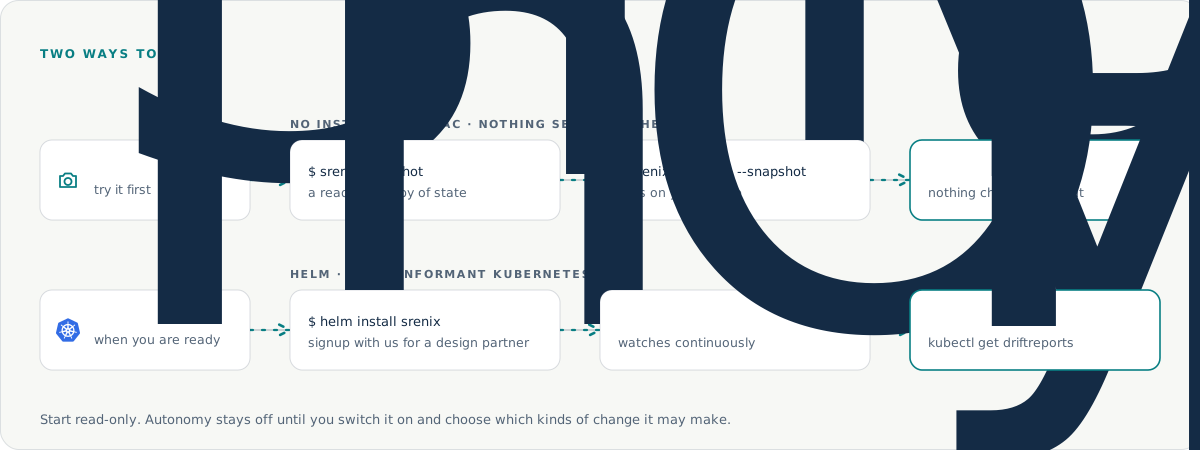
Try it in 5 minutes
You don’t need a cluster to see it work. Ask us for the sample cluster snapshot and we’ll walk you through running the analyzer against it.
You’ll get a list of findings with the reasoning for each one. Nothing is changed and nothing is sent anywhere.
Install on your cluster
Offline first, if you prefer
You can point Srenix at your own cluster without installing anything. Take a snapshot, then diagnose it locally.
srenix snapshot --output cluster.json
srenix diagnose --snapshot cluster.json
Then deploy with Helm
helm repo add srenix <signup with us for a design partner>
helm install srenix srenix/srenix \
  --namespace srenix --create-namespace \
  --set slack.webhookSecret=srenix-slack
Reports arrive in Slack. Findings are also queryable with kubectl, so you can see live issues without leaving your terminal.
kubectl get driftreports
kubectl get driftreports -w
kubectl describe driftreport <name>The seven checks
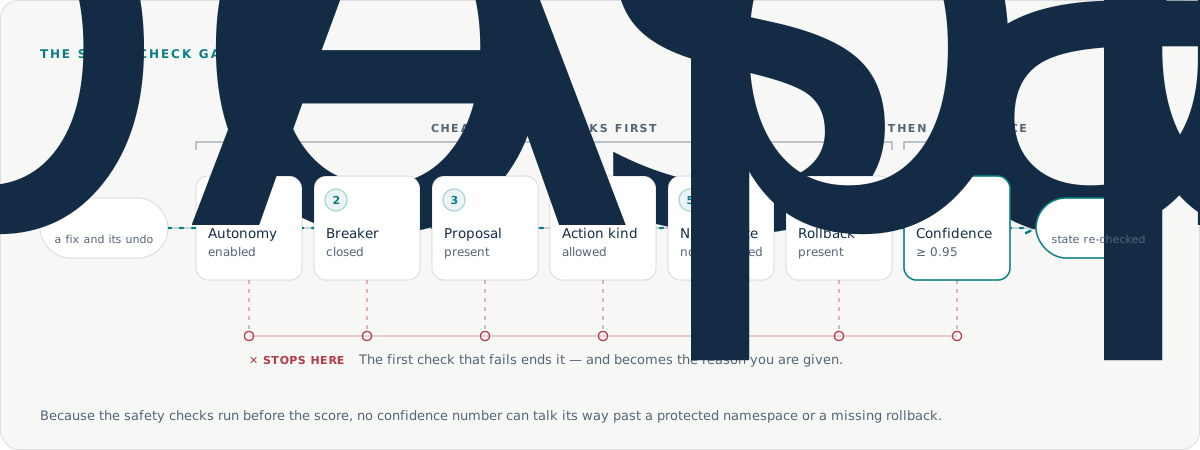
There is exactly one code path that can change your cluster without a human click. It runs seven checks in a fixed order, all of them must pass, and the first failure is the reason you are given.
- Autonomy is enabled. Off by default.
- The circuit breaker is closed. After enough consecutive failures it opens and suspends autonomy entirely.
- There is a proposal. Nothing to apply means nothing happens.
- The action kind is allowed. You set the list. An empty list means autonomy is off — there is no implicit “all kinds”.
- The namespace is not protected. No confidence score can override this.
- A rollback exists. No undo, no change.
- Confidence is at least 0.95.
The order is deliberate: the cheap, safety-critical checks run before the expensive confidence calculation, so a high score can never talk its way past a protected namespace or a missing rollback.
Where confidence comes from
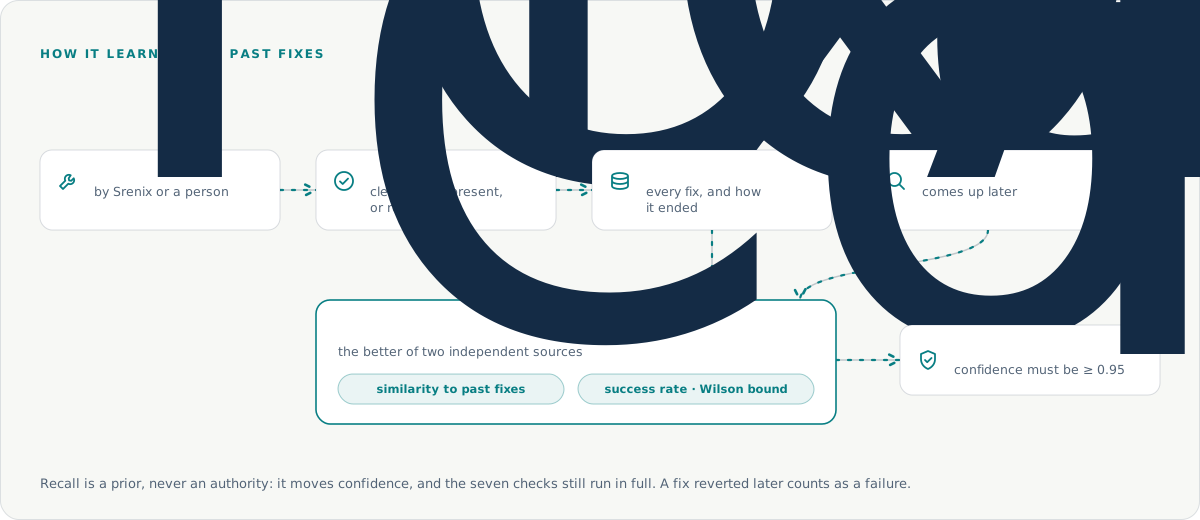
It is the better of two independent sources:
- Similar past fixes. The best score among fixes that cleared the same finding using the same kind of action. A fix that worked with a different action is not evidence about this one.
- How that class of fix has performed. A statistical lower bound on the success rate, so one success out of one attempt never scores 1.0.
Passing the gate is still not the end. Live state is re-checked at the moment of applying, the finding is verified as actually cleared afterwards, and the breaker keeps watching. None of these replace the others.
Approvals
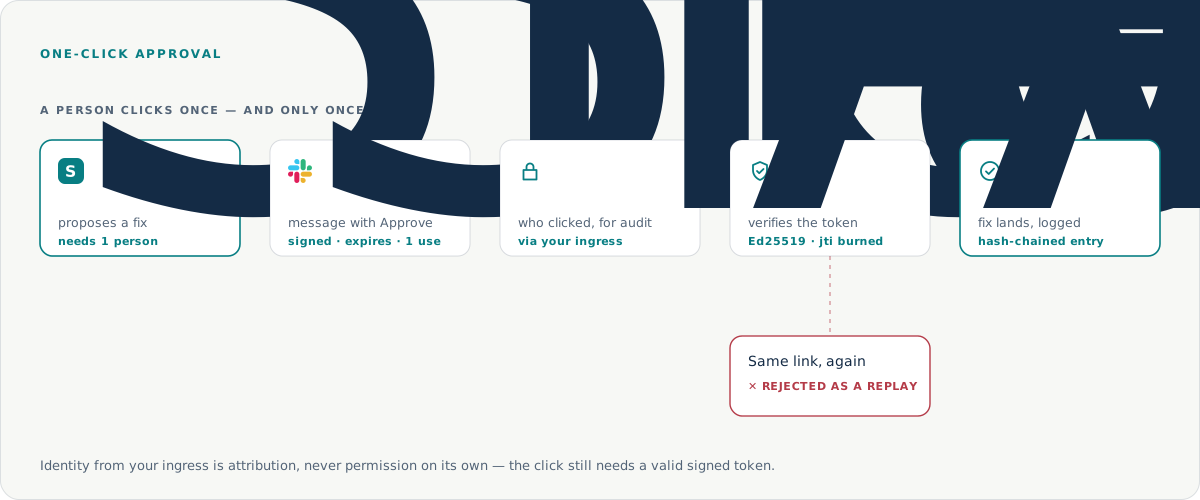
When an action needs a person, Srenix posts it to Slack with a link. That link is signed, expires, and can be used exactly once — using it a second time is rejected as a replay.
Who may click is decided by your own login. Approvals sit behind your existing SSO, and the identity that arrives is recorded for the audit trail. It is attribution, never permission on its own: the click still needs a valid signed token.
Audit trail
Every decision, approval and action is written to a hash-linked log, so an entry cannot be altered without breaking the chain.
The chain is also checkpointed with signatures. A hash chain on its own cannot tell you that entries were removed from the end — the checkpoints are what close that gap.
srenix-enterprise audit verify --bundle audit.jsonl
srenix-enterprise audit bundle --since 24h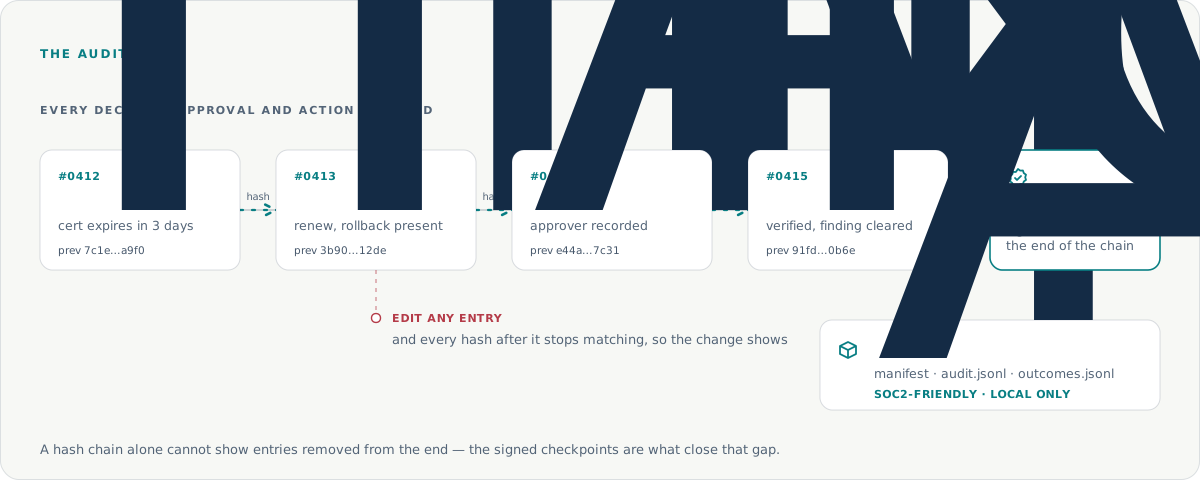
Reusing past fixes
Srenix remembers the outcome of fixes it has made and uses them as evidence next time something similar happens.
Licensing
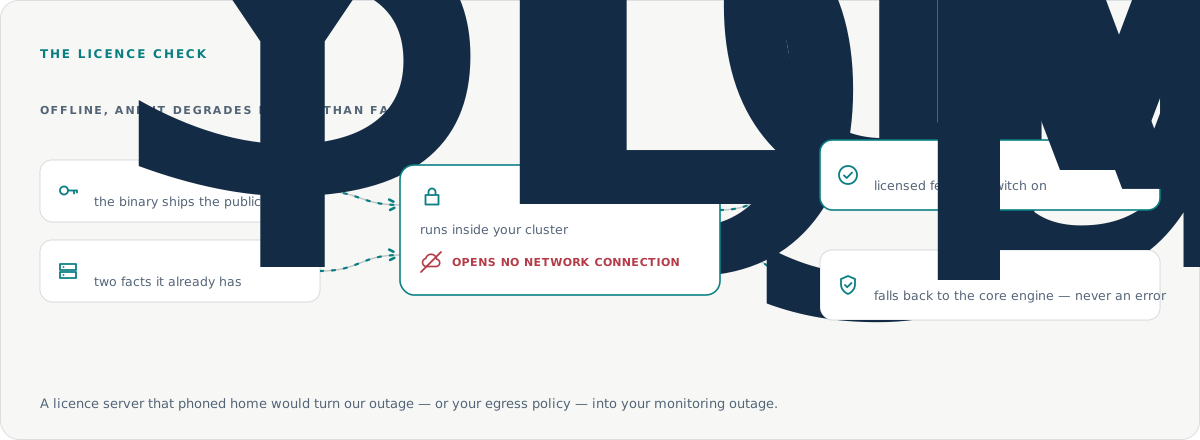
The licence check is entirely offline. It reads a signed key and two facts it already has from your API server, and opens no network connection. A licence server that phoned home would turn our outage, or your egress policy, into your monitoring outage.
The commercial binary ships the public key only.
What each plan includes
Design Partners — early adopters — get everything in Enterprise, as it ships, free now under their programme agreement; Enterprise runs under a commercial licence. See pricing.
| Capability | Design Partner (free now) | Enterprise |
|---|---|---|
| Finds and explains problems | Yes | Yes |
| Plain-rule diagnosis, no AI | Yes | Yes |
| Kubernetes probes, plus AWS, GCP and Azure | Yes | Yes |
| kubectl-queryable findings | Yes | Yes |
| Works offline, from a snapshot or air-gapped | Yes | Yes |
| Slack, Alertmanager and OpenProject | Yes | Yes |
| LLM context on every finding | Yes | Yes |
| Proposes fixes, each with its undo | Yes | Yes |
| Five policy-bounded fixers | Yes | Yes |
| The seven-check gate | Yes | Yes |
| Signed one-time approvals | Yes | Yes |
| Hash-chained audit trail | Yes | Yes |
| Self-hosted dashboard | Yes | Yes |
| Multi-step repairs and runbooks | Yes | Yes |
| Confidence-gated auto-merge (off by default) | Yes | Yes |
| Learns from past fixes | Yes | Yes |
| SOC 2-friendly audit bundle export | Yes | Yes |
| Jira / ServiceNow tickets | Yes | Yes |
| Multi-cluster | Yes | Yes |
| Air-gapped installer, SBOM and signed images | Yes | Yes |
Still stuck?
Tell us what your cluster is doing and we’ll go through it with you.