
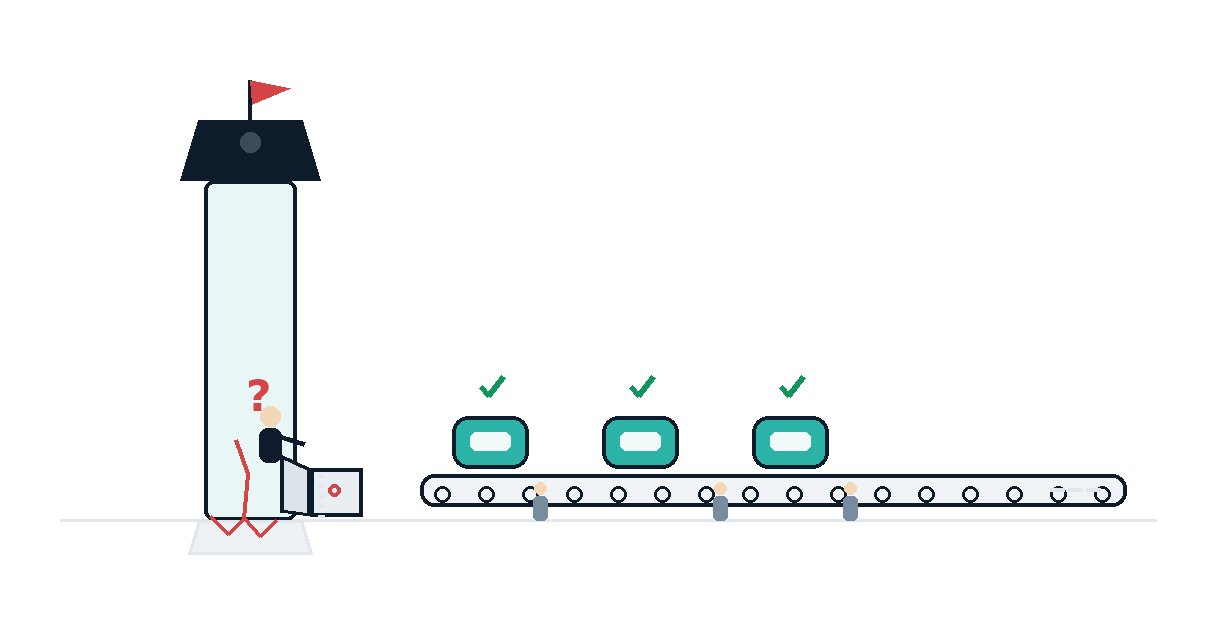
A storage failure takes the single control-plane node down. The API server stops answering, but the containers already running on the workers keep serving. The dashboard still shows green deployments, so the first read is "partial outage, probably a network thing." It is not. The platform is dead; only its old work are alive.
Recovery then finds the second problem: the etcd backup exists, but nobody has ever restored it. Why the survivors mislead you, what an untested snapshot costs you at 3am, and the short list that makes the next control-plane failure boring.
What a control-plane failure looks like from the inside
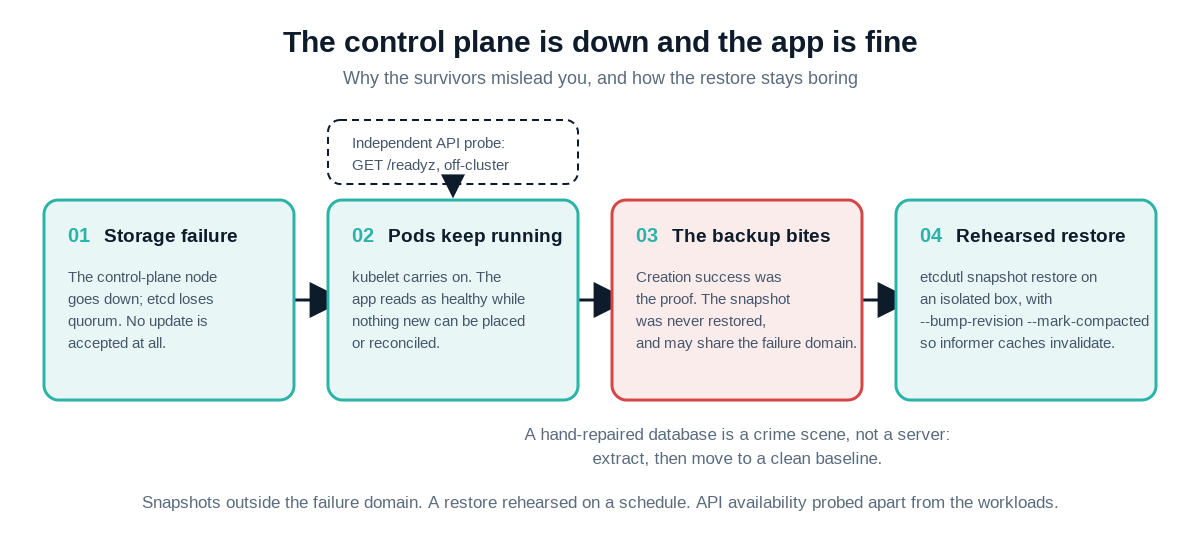
Etcd holds every object in the cluster — every Deployment, Secret, Service and node record. A cluster of N members tolerates (N−1)/2 permanent member failures; lose more and the cluster loses quorum, cannot reach consensus, and stops accepting any update at all. A single-node control plane tolerates zero.
Then the misleading part: the data plane runs on inertia. kubelet keeps the containers it already started, so pods stay Running even while nothing new can be scheduled, no rollout can proceed, and no controller can reconcile anything. A first-person account from a self-managed cluster this week described exactly this: workloads kept running while the API went dark, and the platform read as healthier than it was.
Meanwhile the second-order failures start quietly. Certificates that expire during the outage cannot renew. Nodes whose leases lapse are treated as gone, and their pods are rescheduled onto a control plane that cannot place them.
The difference between a snapshot and a recovery
Taking a snapshot is one command and it almost never fails. Restoring one is where the failure modes live:
- 01
The snapshot shares the failure domain
Backups written to the same disk or the same VM as the control plane die with it. The account behind this week's thread had no validated backup that survived the storage failure. Store snapshots somewhere the control plane cannot drag down.
- 02
Creation success became the proof
A snapshot that has never been restored is a file, not a backup. Restore it on an isolated box —
etcdutl snapshot restoreneeds nothing but the file — on a recurring schedule, and record the time it took. Restore time is your recovery-time objective, measured. - 03
Informers do not forgive time travel
A snapshot freezes the store at its revision. Restore it into a running Kubernetes and clients can perceive the revision moving backwards; controller informer caches — local copies fed by watches — may not refresh correctly, and the Kubernetes docs call the result unpredictable and inconsistent. Restore with
--bump-revisionand--mark-compactedso every watch is terminated and stale caches are invalidated. - 04
A repaired database is not a trustworthy one
Page-level repair of a damaged bbolt file is an emergency technique, not maintenance. A database that starts after hand repair proves only that it can start. Extract what state you can, then move to a clean baseline: restore the last good snapshot and rebuild around it. Operating on the patched original for longer than necessary is a mistake the author flagged himself.
Confirm what you have before you need it
Four checks answer most of the questions a control-plane incident will ask. The certificate flags matter because the etcd client keys and the CA live with it, and a restore that cannot authenticate is a second incident.
ETCDCTL_API=3 etcdctl --endpoints=https://127.0.0.1:2379 \
  --cacert=/etc/kubernetes/pki/etcd/ca.crt \
  --cert=/etc/kubernetes/pki/etcd/server.crt \
  --key=/etc/kubernetes/pki/etcd/server.key \
  endpoint health --cluster=true
ETCDCTL_API=3 etcdctl --endpoints=https://127.0.0.1:2379 \
  --cacert=/etc/kubernetes/pki/etcd/ca.crt \
  --cert=/etc/kubernetes/pki/etcd/server.crt \
  --key=/etc/kubernetes/pki/etcd/server.key \
  member list --write-out=table
ETCDCTL_API=3 etcdctl --endpoints=https://127.0.0.1:2379 \
  --cacert=/etc/kubernetes/pki/etcd/ca.crt \
  --cert=/etc/kubernetes/pki/etcd/server.crt \
  --key=/etc/kubernetes/pki/etcd/server.key \
  snapshot save /backup/etcd-$(date +%F).db
etcdutl --write-out=table snapshot status /backup/etcd-$(date +%F).dbkubectl get pods -n kube-system -l component=etcd -o wide
kubeadm certs check-expiration
crictl ps | grep etcd # or: systemctl status etcd, on non-kubeadm installsRead that output as a floor, not a ceiling: health tells you every member answers today; it cannot tell you the store can be rebuilt from a file. That is what the isolated rehearsal is for.
Why it hides until the day it bites
Control-plane failure is silent in a way application failure is not. Application monitoring watches your workloads, and workloads survive the control plane for a while — so the dashboard that says "app is up" is telling a true statement about the wrong object. API availability needs its own probe, independent of everything the API server manages.
And there is an uncomfortable rule underneath the checklist: three control-plane nodes buy you tolerance for one member lost; they do not remove the need for an independent, tested backup, and they do not protect against shared storage dying underneath all three. High availability and recoverability are separate properties, and most self-managed clusters have only the first.
- Probe API availability directly — a
kubectl get --raw='/readyz?verbose'or a/readyzcheck on a timer, from outside the control plane's failure domain — and page on it, independent of workload dashboards. - Store etcd snapshots outside the control plane's storage failure domain, and label each with its revision.
- Rehearse the restore into an isolated environment on a schedule; creation-success is not a backup.
- Write down the control-plane rebuild: version compatibility, PKI and cluster identity are the three places restores go wrong.
- Treat a hand-repaired database as a crime scene, not a server: extract, then move to a clean baseline.
Srenix watches kubeadm-style and k3s static-Pod etcd members — a member that is down or restarting becomes a finding with the object named — and runs an automatic daily diagnose across the cluster even with nothing else enabled, reporting to Slack or Alertmanager. What it does not do: it never takes or restores an etcd snapshot, it never fixes the control plane itself, and it reports external or managed etcd as a blind spot rather than green. The snapshot outside the failure domain and the restore rehearsal still have to be yours.